BGP Basics With Examples: How Internet Routing Really Works
Border Gateway Protocol (BGP) decides how data moves between the networks that make up the internet. However, most guides stay theoretical, which makes BGP feel harder than it is. In this guide, we cover BGP basics with examples, so you can see each concept in action before you touch a real router.
What BGP Does
BGP is a path-vector protocol. Instead of calculating the fastest link, it shares reachability: each network tells its neighbors which addresses it can deliver to, and through which path. As a result, thousands of independent networks can cooperate without sharing their internal designs.
Autonomous Systems and the AS Path
Each independent network is an autonomous system (AS) with its own number (ASN). Because every router adds its ASN as a route passes through, the route builds up a trail called the AS path.
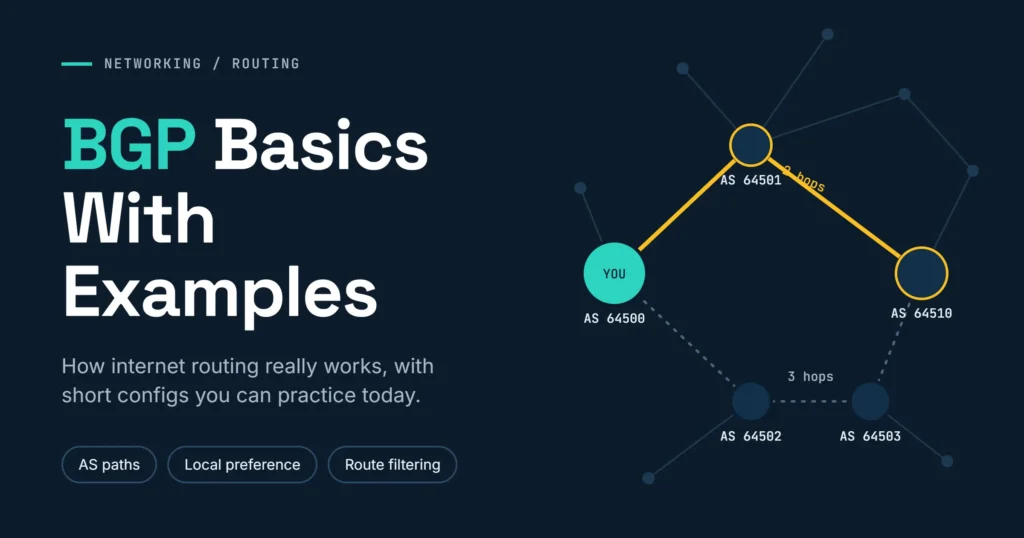
Example 1: choosing between two paths. Suppose AS 64500 can reach a customer network behind AS 64510 in two ways:
- Route A: 64501 → 64510 (two ASes)
- Route B: 64502 → 64503 → 64510 (three ASes)
All else being equal, BGP picks Route A, since fewer hops usually means a simpler path. Note that the ASNs in these examples come from the range reserved for documentation, so they are safe to practice with.
eBGP vs iBGP
- eBGP runs between different autonomous systems, usually between directly connected edge routers.
- iBGP runs inside one AS and distributes the routes learned at the edge.
However, iBGP does not re-advertise routes learned from other iBGP peers. Therefore, large networks use route reflectors instead of a full mesh of sessions.
Example 2: A Basic eBGP Session
Here is a minimal Cisco-style configuration. Your network (AS 64500) peers with an upstream provider (AS 64501) and announces its own prefix:
router bgp 64500
 neighbor 192.0.2.1 remote-as 64501
 neighbor 192.0.2.1 description Upstream-ISP-A
 network 203.0.113.0 mask 255.255.255.0
One practical tip: the network command only announces a prefix if that exact route already exists in your routing table. Consequently, many beginners wonder why nothing is advertised. A static route to Null0 for the prefix usually solves it.
How BGP Chooses the Best Route
When several routes reach the same destination, BGP compares attributes in a fixed order. On Cisco devices, the first checks are:
| Order | Attribute | Rule |
|---|---|---|
| 1 | Weight | Higher wins (Cisco only, local to the router) |
| 2 | Local preference | Higher wins (shared inside the AS) |
| 3 | AS path length | Shorter wins |
| 4 | MED | Lower wins |
| 5 | eBGP over iBGP, then lowest router ID | Final tie-breakers |
Example 3: preferring one provider. Imagine two upstreams, ISP-A (AS 64501) and ISP-B (AS 64502). ISP-A is faster, so you want it for outbound traffic. Local preference is the right tool:
route-map PREFER-ISP-A permit 10
 set local-preference 200
!
router bgp 64500
 neighbor 192.0.2.1 remote-as 64501
 neighbor 192.0.2.1 route-map PREFER-ISP-A in
 neighbor 192.0.2.5 remote-as 64502
Since the default local preference is 100, routes learned from ISP-A now win. Meanwhile, ISP-B stays ready as a backup. If ISP-A fails, traffic shifts automatically.
Example 4: Filtering a Customer
BGP trusts its neighbors by default. Therefore, you should filter what each neighbor may send. Suppose a customer (AS 64520) owns only 198.51.100.0/24:
ip prefix-list CUSTOMER-IN seq 5 permit 198.51.100.0/24
!
router bgp 64500
 neighbor 10.0.0.2 remote-as 64520
 neighbor 10.0.0.2 prefix-list CUSTOMER-IN in
 neighbor 10.0.0.2 maximum-prefix 10
This setup accepts only the customer’s own prefix, and it shuts the session down if the customer suddenly sends more than 10 routes. As a result, a simple mistake on their side cannot flood your network.
Why Filtering Matters: A Real Case
In 2008, a Pakistani ISP tried to block YouTube locally. However, it announced a more specific prefix for YouTube’s address space, and the announcement leaked to the wider internet. Because BGP prefers the most specific prefix, large parts of the internet sent YouTube traffic to the wrong place for a short time. In short, one unfiltered announcement can affect millions of users.
Fortunately, today you can combine prefix filters with RPKI route origin validation, which checks whether an AS is authorized to announce a prefix.
Example 5: When You Need BGP
A small company with one provider needs only a default route. In contrast, consider a company with its own /24, its own ASN, and two internet providers. Here, BGP lets the company announce its prefix through both links, fail over automatically, and steer traffic with local preference. Likewise, data centers, cloud connections, and ISPs rely on BGP for the same reasons.
Checking Your Work
Two commands help you verify a session:
show ip bgp summaryshows neighbor state and prefix counts.show ip bgplists received routes and their attributes.
If a neighbor is stuck in “Active” or “Idle”, first check IP reachability, then the remote ASN, and finally any firewall rules on TCP port 179.
Final Thoughts
In short, BGP shares reachability, compares attributes in order, and follows the policies you set. Therefore, start with small lab examples like the ones above. After that, add filtering and RPKI before connecting to a real provider. With practice, BGP becomes logical rather than intimidating.
Pingback: Spanning Tree Protocol : How STP Prevents Network Loops